Hi, here is a sample I made for your training request

A mode-of-action video
you can build yourself.

A 38-second sample for a fictional feed additive in a pig's gut: three clear steps, labels, captions and a calm voiceover. Below it is the workflow I would teach you, step by step, so your first real 2–3 minute video is made by you.

1920 × 10803-step mechanismLabels & captionsAI voiceoverLearnable workflow

The sample

“PhytoBind” is made up. The video describes a mechanism only, with no performance or health claims, which is the tone a scientific mode-of-action video needs.

Sound on: voiceover, light music bed well under the voice, subtle sound effects. Sound off: the captions carry everything.

Scene by scene

Each label appears at the moment the voice names it, so the viewer always knows where to look.

TitleTitle

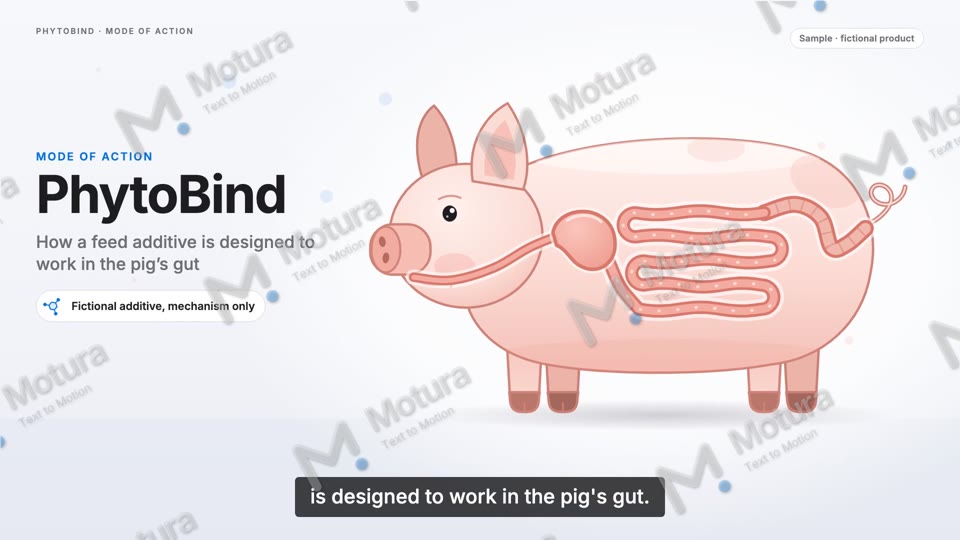
Product name, topic and a clear "fictional, mechanism only" note from the first second.

1 · Passage1 · Passage

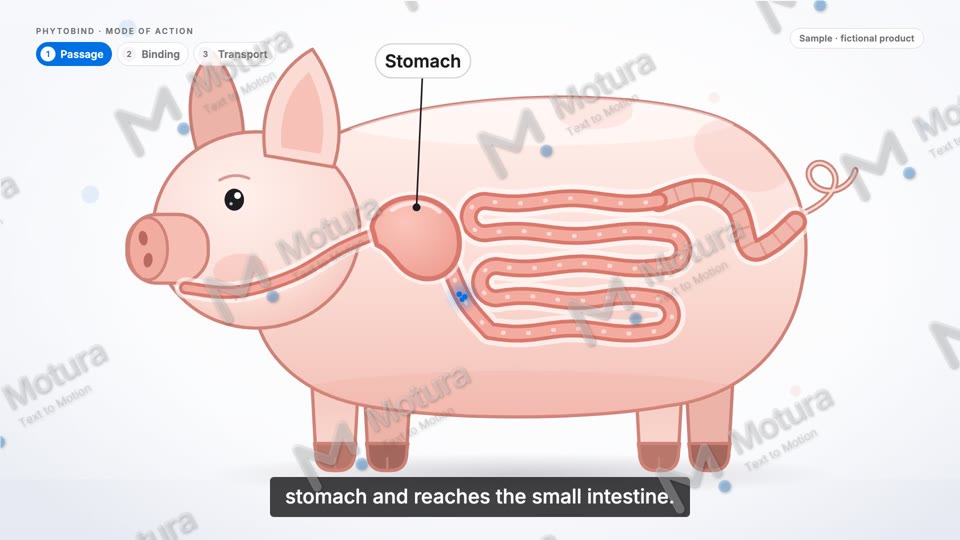
Simple anatomy with labels that appear exactly when the voice names the organ.

2 · Binding2 · Binding

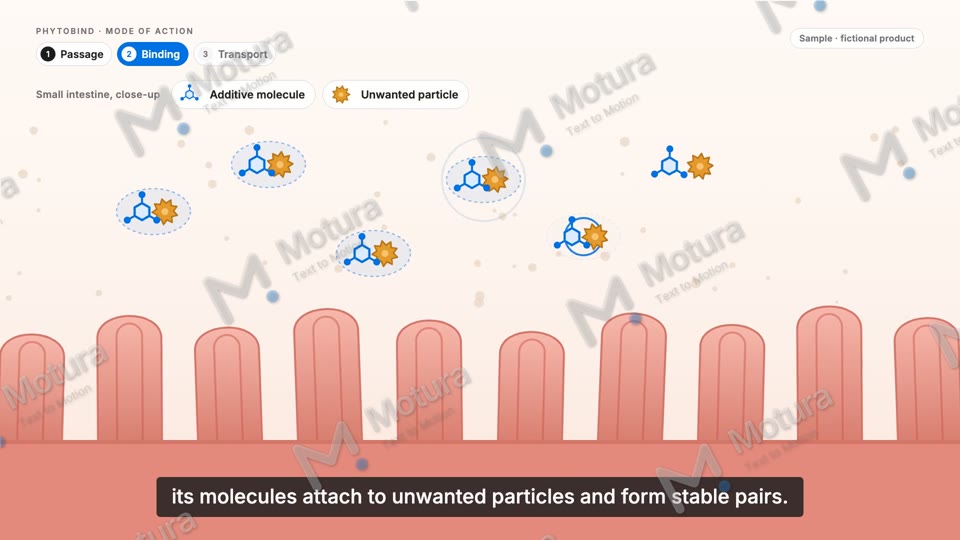
Zoom into the small intestine: molecules, particles and the legend build up step by step.

3 · Transport3 · Transport

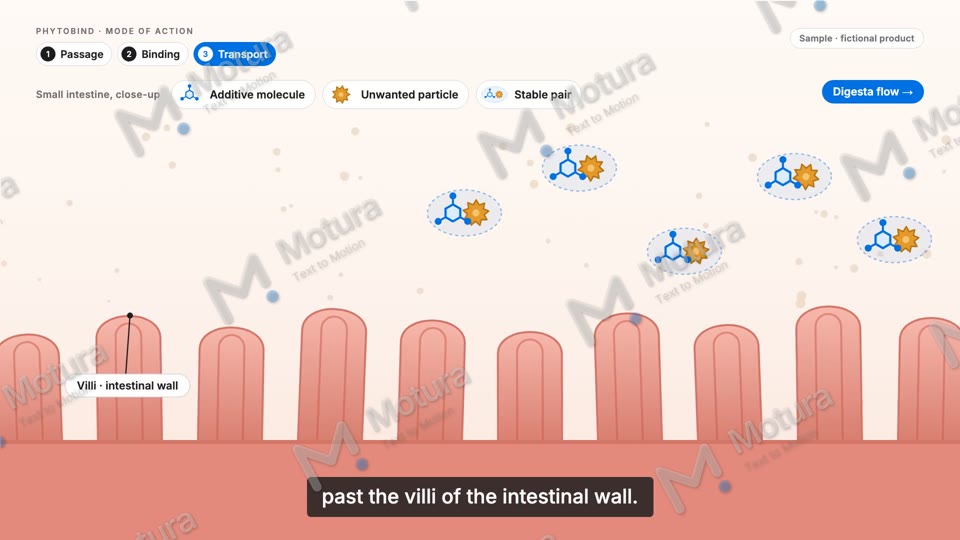
Bound pairs move on with the digesta, past the villi. Labels stay readable at every moment.

How you’d build this yourself

The same six steps work for every molecule and every species. You learn them once on a real video, then repeat them for the next product.

1

Script & scientific storyboard

We start from your mode of action, not from the tool. One sentence per step, then a storyboard: which organ, which zoom level, which molecule does what. Your R&D team checks this page before anything is animated, which is where most mistakes are cheapest to fix.

2

Consistent illustrations with AI image tools

Generate the organic scenes (the animal, the gut wall, the villi) with an AI image tool, using a fixed style prompt and reference images so every scene looks like the same film. I give you the prompt templates I use.

3

Animate: image-to-video or simple motion

Organic scenes can be animated with an image-to-video tool (a slow camera move, flowing digesta). Anything that has to be exact (molecules, binding sites, arrows) is moved with simple keyframes so it stays correct.

4

AI voiceover with ElevenLabs

Pick a calm, clear voice, record the whole script as one continuous take and keep the timing. Pauses between steps become the cut points of the edit.

5

Assemble in an editor (e.g. CapCut)

Put voice, scenes, labels, captions and a quiet music bed together. Labels and captions are added in the editor, never generated by AI, so every word is spelled exactly like in your approved text.

6

Review for scientific accuracy

Watch frame by frame against the storyboard: correct anatomy, correct order of events, no claim that is not in the approved script, all text readable on a phone. Then export in Full HD and in the formats you need.
Recommended tool stack

All of these have free or low-cost plans. You don’t need all of them on day one; we pick what fits your videos.

ChatGPT or ClaudeTurns your technical notes into a clear voiceover script and a shot list.
Midjourney, Krea or Nano BananaConsistent illustrations of the animal, organs and tissue from one style prompt.
Kling, Runway or Grok ImagineImage-to-video for the organic scenes: slow camera moves, gentle movement.
ElevenLabsNatural voiceover in English or other languages, with clean timing.
CapCutEasy editor for assembling scenes, labels, captions and music. Free to start.
Canva or FigmaMolecule icons, arrows, legends and title cards in your brand colours.
An honest note on AI video generators: they are great for organic scenes, but they can distort scientific detail – extra villi, wrong anatomy, molecules that change shape, garbled labels. That is why diagrams, molecules and labels are built as simple motion graphics, and AI is used for the organic scenes around them. This sample is built entirely as motion graphics for exactly that reason.

What the 1:1 training looks like

Sessions on video call

  • Short live sessions with screen sharing, same time zone as Bangkok.
  • You work on your own computer, I guide you step by step.
  • Between sessions you try the next step, I review it and give feedback.

We build your first real video together

  • One of your molecules, 2–3 minutes, from script to final export.
  • Storyboard and scientific check with your team built into the process.
  • You end with a finished video, not just exercises.

You keep everything

  • Style prompts and prompt templates for illustrations and animation.
  • Storyboard template, editor project template, label and caption styles.
  • A one-page checklist for the scientific review.

Then you work on your own

  • For the next molecule you repeat the workflow yourself.
  • I stay available for questions and reviews while you get confident.